Artificial intelligence is making video creation increasingly accessible, but generating a convincing AI video is considerably more demanding than producing a single image.
Movement has to remain coherent from frame to frame. Characters should preserve their appearance. Camera motion needs to make sense, and factors such as the source image, duration, resolution and selected AI model can all affect the final result.
That is why choosing the best NSFW AI video generator is not simply about finding one supposedly perfect model.
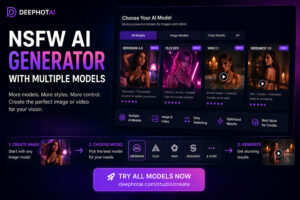
For most adult creators, a better approach is to use a platform that supports different workflows and gives you access to multiple AI models.
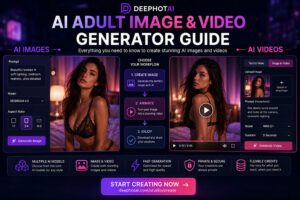
DEEPHOTAI brings adult AI image and video creation together in one interface. You can work from a text prompt or animate an existing image without having to move between several unrelated platforms.
Create an AI video with DEEPHOTAI
What Makes the Best NSFW AI Video Generator?
Adult AI video generation has several requirements that do not exist to the same extent with static images.
A good platform should make those decisions easier rather than forcing the user to understand every technical aspect of generative video.
Here are some of the most important criteria.
Video quality
A useful AI video generator needs to create more than individual attractive frames.
The full sequence should remain visually coherent.
Important elements include:
- natural-looking movement;
- facial consistency;
- body consistency;
- stable backgrounds;
- smooth visual transitions;
- accurate interpretation of a reference image;
- appropriate camera movement.
AI video models can respond very differently to the same idea, which is one reason access to several models can be useful.
Image-to-Video Support
One of the most practical workflows for adult AI video creation is image-to-video.
Instead of asking the AI to invent every visual element from scratch, you begin with an existing image and use it as the visual foundation for the animation.
This can give the model more information about:
- character appearance;
- composition;
- environment;
- clothing;
- visual style;
- camera framing.
For creators already using AI image generation, this workflow can be especially convenient.
You can first create an AI image with DEEPHOTAI, choose the result you like most, and then use that image as the basis for a video generation.
Text-to-Video Support
Text-to-video starts from a written prompt instead of an image.
You describe the scene and movement you want, and the model creates the video based on those instructions.
This approach can be useful when:
- you do not already have a reference image;
- you want to explore new concepts quickly;
- precise starting appearance is less important;
- you want the AI to interpret more of the scene itself.
Text-to-video and image-to-video solve different problems.
A useful AI video platform should therefore give creators access to both types of workflow instead of forcing every project into the same process.
NSFW AI Video Generation Options Compared
| Workflow | Starting Point | Visual Control | Best For |
|---|---|---|---|
| Text-to-Video | Text prompt | Medium | Creating new concepts from scratch |
| Image-to-Video | Existing image | High | Animating a specific character or scene |
| Single-model platform | Text or image | Varies | Simple generations |
| Multi-model platform | Text or image | High | Comparing models and workflows |
| Local AI setup | Depends on model | Very high | Advanced technical users |
For many creators, a multi-model platform provides a practical balance between control and simplicity.
Instead of rebuilding your workflow on another website when a generation does not work, you can try another approach from the same creation environment.
Image-to-Video vs Text-to-Video
Understanding this distinction is one of the most important parts of AI video creation.
Choose Image-to-Video When Appearance Matters
With image-to-video, the initial image gives the AI a clear visual reference.
This makes the workflow especially useful when you want to preserve a particular:
- character;
- pose;
- composition;
- environment;
- visual style;
- overall appearance.
You can generate or select the exact image you want first and then focus on adding movement.
Choose Text-to-Video When You Want to Explore
Text-to-video provides more freedom to create a scene without preparing an image beforehand.
You can describe a concept and let the AI decide how it should appear visually.
This can be useful for experimentation and rapid ideation.
A Simple Rule
Use image-to-video when control over the starting appearance matters most.
Use text-to-video when you want the AI to build the scene directly from your description.
You can access the video workflow directly from DEEPHOTAI Create.
How to Create an Adult AI Video with DEEPHOTAI
You do not need to understand every technical detail behind generative video before creating your first clip.
The workflow can remain straightforward.
Step 1 — Open the Video Creator
Go to DEEPHOTAI AI Video Create.
Select the video-generation workflow you want to use.
Step 2 — Choose Text-to-Video or Image-to-Video
If you already have a visual reference, choose image-to-video.
If you want to start entirely from an idea, choose text-to-video.
This decision determines how much visual information the AI receives before generation begins.
Step 3 — Select an AI Video Model
Different AI video models may produce different interpretations of the same concept.
If you are new to video generation, start with the recommended option available in the interface.
Once you understand the basic workflow, you can experiment with other models and compare the results.
Step 4 — Add Your Prompt or Reference Image
For text-to-video, describe the video you want to create.
For image-to-video, choose the image that should become the visual foundation of the animation.
A useful reference image should ideally have:
- clear composition;
- good visual quality;
- a clearly visible subject;
- clean lighting;
- minimal visual artifacts.
The video model then has a stronger starting point from which to generate movement.
Step 5 — Describe the Movement
Video prompts should not focus only on appearance.
Motion matters.
You can describe elements such as:
- character movement;
- camera movement;
- direction;
- pacing;
- environmental motion;
- overall mood.
Avoid adding unnecessary instructions that do not contribute to the scene.
A clear motion description can be easier for the AI to interpret.
Step 6 — Generate and Review the Result
Once the video is generated, evaluate the full sequence instead of judging only the first frame.
Look for:
- consistent character appearance;
- natural movement;
- stable facial features;
- background stability;
- unwanted distortions;
- sudden changes in proportions.
You can review completed content from your DEEPHOTAI Generations area.
If the result is not satisfactory, adjust one element at a time.
Change the prompt, reference image or model rather than changing everything simultaneously.
Why Multiple AI Video Models Matter
One AI video model may perform well for a particular kind of scene while producing weaker results for another.
This does not necessarily mean your prompt is wrong.
Different models can interpret:
- motion;
- composition;
- characters;
- camera movement;
- source images;
in different ways.
Access to several models gives you another option when a generation does not work:
keep the concept and test another model.
This can be more efficient than repeatedly rewriting the same prompt while using the same underlying model.
How to Get Better NSFW AI Video Results
Generating a better video often comes from improving a few important inputs rather than making the prompt dramatically longer.
Start with a Strong Source Image
For image-to-video generation, the input image matters.
A clean, coherent image gives the model a stronger visual reference.
If the original image already contains distortions or unclear details, animation may make those problems more noticeable.
Describe Motion Clearly
Do not describe only what the character or scene looks like.
Explain what should happen.
The video model needs information about movement.
For example, consider:
- what moves;
- how fast it moves;
- whether the camera moves;
- whether the environment moves;
- whether the scene should remain mostly static.
Avoid Too Many Simultaneous Actions
Complex scenes can be difficult to maintain consistently.
If you ask several characters, the camera and the background to perform dramatic movements simultaneously, the model has more variables to manage.
Start with controlled motion.
You can increase complexity after finding a workflow that produces stable results.
Test Different Models
If several prompt revisions continue to produce the same kind of problem, the selected model may simply not be ideal for that generation.
Changing models can sometimes be more useful than rewriting the same prompt repeatedly.
Why AI Videos Can Look Jittery or Unstable
AI video generation creates a sequence of images while attempting to maintain the identity and structure of the scene.
When that consistency breaks down, you may notice:
- flickering;
- unstable facial features;
- changing backgrounds;
- sudden visual artifacts;
- unnatural movement;
- changing body proportions.
Several factors can contribute.
The source image may be difficult to animate.
The requested motion may be too complex.
The video may be longer than necessary for the concept.
Or the selected model may interpret the scene differently than expected.
When this happens, make controlled changes.
Test a cleaner reference image, simpler movement, a different prompt or another model.
How to Keep Characters More Consistent in AI Video
Character consistency remains one of the main challenges of generative video.
Image-to-video can be particularly useful because it provides the model with a fixed visual reference.
For better consistency, consider:
- using a clear source image;
- keeping movements relatively controlled;
- avoiding unnecessary camera changes;
- using shorter generations while testing;
- trying another model when results remain unstable.
If your starting character was generated on DEEPHOTAI, you can keep the image and video portions of the workflow within the same platform.
How Long Should an AI Video Be?
Longer does not automatically mean better.
Shorter generations can be useful while experimenting because they let you test:
- the model;
- the prompt;
- the reference image;
- the movement.
Once the basic generation works well, you can decide whether a longer duration is necessary.
This can also help prevent unnecessary credit usage during experimentation.
AI Video Resolution, Quality and Cost
Video generation uses significantly more computational resources than generating a single static image.
Depending on the model and available options, factors such as duration and quality settings can influence the number of credits required.
Instead of immediately selecting the most demanding settings, it can make sense to validate the basic idea first.
A practical workflow is:
- test the concept;
- evaluate the reference image;
- confirm the movement;
- compare models;
- generate the final version.
You can check the current plans and available credits from DEEPHOTAI Billing.
Because AI model costs can change, the current amount displayed inside DEEPHOTAI should be treated as the source of truth when generating.
Uncensored AI Video Generator vs Mainstream AI Platforms
People searching for an uncensored AI video generator are generally looking for an AI platform that supports adult-oriented creative workflows that may not be available on mainstream services.
However, supporting adult content does not mean that a platform has no rules.
An adult-oriented service can allow lawful adult creation while still enforcing important restrictions.
DEEPHOTAI is intended for adult users and does not treat “uncensored” as meaning that every possible form of content is permitted.
Content involving minors, non-consensual sexualization and prohibited real-person use remains outside acceptable adult AI creation.
Privacy Matters for Adult AI Creation
Privacy is especially important when working with adult-oriented images and videos.
Creators should understand the difference between generating something privately and deliberately publishing it to a public section of a platform.
An image used as a private generation reference should not be confused with a public submission.
Likewise, publishing content to a community should be an intentional action.
DEEPHOTAI separates creation workflows from its public Community, helping users distinguish between creating content and choosing to share it publicly.
Public content can also be subject to platform moderation.
Combining AI Image and AI Video Generation
One of the most useful workflows is to combine image generation and video generation.
Instead of asking the AI to invent everything at once, you can work in stages.
For example:
- create an AI image;
- refine the visual concept;
- select the image you prefer;
- use it as the reference for image-to-video;
- animate it with the video workflow.
This gives you more control over the starting appearance of the video.
It can also make the creation process easier to understand because you solve the visual design and animation as two separate steps.
Who Is DEEPHOTAI For?
DEEPHOTAI is designed for adults who want access to AI image and video generation without having to manage several disconnected services.
It may be useful for creators looking for:
- adult AI image generation;
- adult AI video generation;
- text-to-video workflows;
- image-to-video workflows;
- access to multiple AI models;
- centralized generation history;
- a simpler interface for experimenting with different workflows.
The goal is not to force every generation through the same model.
It is to give creators several options while keeping the creation process accessible.
Frequently Asked Questions
What Is the Best NSFW AI Video Generator?
The best NSFW AI video generator depends on what you value most, including visual quality, character consistency, model selection, generation speed, workflow options and cost.
A multi-model platform can provide more flexibility because you are not restricted to one generation model.
What Is an NSFW AI Video Generator?
An NSFW AI video generator is an AI platform designed to support lawful adult-oriented video creation while maintaining its own content and safety rules.
Can I Turn an AI Image Into a Video?
Yes.
Image-to-video generation takes an existing image and uses it as the visual reference for the resulting animation.
You can first create an AI image and then use it as the basis for a video.
Is Image-to-Video Better Than Text-to-Video?
Neither is universally better.
Image-to-video generally gives you greater control over the initial appearance.
Text-to-video is useful when you want to create a new concept directly from a description.
The best choice depends on the project.
Why Does My AI Character Change During the Video?
Generative video models can struggle to preserve visual details across every frame.
Reference-image quality, motion complexity, duration and the selected AI model can all affect consistency.
Using a clear source image and simpler motion may help.
Why Does My AI Video Flicker?
Flickering can occur when the model struggles to maintain visual consistency between generated frames.
A cleaner source image, less complex movement or another model may produce a more stable result.
Do Longer AI Videos Use More Credits?
The exact cost depends on the selected model and generation settings.
Always check the current credit amount shown by DEEPHOTAI before generating.
You can also review your available options from Plans, Credits & Billing.
Start Creating Adult AI Videos with DEEPHOTAI
Creating a good AI video is not only about writing a longer prompt.
The workflow, source image, movement, model and generation settings all matter.
DEEPHOTAI brings image and video generation together so you can experiment with multiple AI workflows without constantly switching platforms.
Whether you want to start from text or animate an existing AI image, you can begin directly from the video creator.