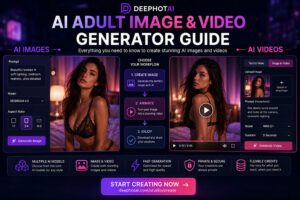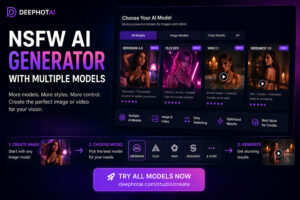
Creating high-quality adult AI images is no longer only about finding a generator that accepts adult content. The model you choose can make a major difference in visual quality, style consistency, generation speed and cost.
The best NSFW AI image generator should therefore give you more than a single model and a prompt box. It should make it easy to select the right workflow, compare different AI models and create images without needing to understand every technical setting.
DEEPHOTAI is designed around this multi-model approach, letting adult creators choose the AI workflow that fits what they want to create.
What Makes a Good NSFW AI Image Generator?
There are many adult AI image tools available, but they do not all solve the same problem.
Some platforms depend on one image model. Others offer many settings but require users to understand complex AI terminology before generating anything.
For most creators, five factors matter more.
1. Image quality
A strong AI image generator should be able to produce clean, visually coherent results across different styles.
Depending on the model, priorities may include:
- photorealistic rendering;
- illustrated or anime-style images;
- detailed environments;
- consistent character appearance;
- accurate composition;
- clean lighting and textures.
No single AI model is necessarily the best at everything, which is one reason a multi-model platform can be useful.
2. Model choice
Different AI image models can behave very differently from the same prompt.
One may prioritize realism, while another may be faster or better suited to a particular illustration style.
Instead of forcing every generation through the same model, DEEPHOTAI is designed to let users choose between multiple models and workflows from one creation interface.
3. Ease of use
Powerful AI tools are not very useful if users have to spend twenty minutes configuring them before every generation.
A beginner-friendly generator should make common decisions simple:
- image model;
- visual style;
- aspect ratio;
- prompt;
- generation mode.
Advanced options can still exist, but they should not block someone who simply wants to start creating.
4. Generation cost
AI image generation is not free to operate. Different models can have different generation costs.
That means the cheapest model is not automatically the best option, and the most expensive model is not automatically the best either.
A useful platform should help users choose between quality, speed and generation cost instead of hiding those trade-offs.
5. Privacy and responsible use
Privacy is particularly important for adult AI creation.
Creators should understand whether a generation is private, when something can become public and what rules apply to content submitted to a public community.
Adult AI platforms should also maintain clear restrictions against prohibited content, including content involving minors, non-consensual sexualization or prohibited use of real people.
NSFW AI Image Generators Compared
There are several ways to generate adult AI images.
| Approach | Ease of Use | Model Choice | Setup | Best For |
|---|---|---|---|---|
| Single-model AI generator | Easy | Low | Very low | Simple generations |
| Multi-model AI platform | Easy to medium | High | Low | Comparing styles, quality and cost |
| Local AI installation | Advanced | Very high | High | Technical users wanting maximum control |
| General AI image platform | Easy | Varies | Low | General-purpose image creation |
For most users who want flexibility without running AI models locally, a multi-model NSFW AI generator offers one of the most practical balances.
You can change models when a particular generation is not producing the result you want instead of having to move to an entirely different website.
Why Multiple AI Models Matter
One of the biggest mistakes new AI creators make is assuming that a better prompt will solve every problem.
Sometimes the prompt is not the problem.
The model itself may simply be poorly suited to the type of image you are trying to generate.
Changing models can affect:
- visual style;
- interpretation of the prompt;
- realism;
- composition;
- generation speed;
- level of detail;
- credit usage.
A multi-model workflow therefore gives you another way to improve a generation.
Instead of endlessly rewriting the same prompt, you can keep the concept and test it with another model.
How to Create an Adult AI Image with DEEPHOTAI
The basic workflow is designed to remain simple.
Step 1 — Open Create
Go to the DEEPHOTAI creation interface and select Image generation.
Step 2 — Choose a model
If you are new to AI generation, start with the Recommended option.
Once you understand the workflow, you can test other models and compare their results.
Step 3 — Describe the image
Write a clear description of the image you want.
For better results, focus on useful visual information such as:
- subject;
- composition;
- environment;
- art style;
- camera framing;
- lighting;
- mood.
Avoid making the prompt unnecessarily complicated.
A clear prompt is often easier for an image model to interpret than a long collection of disconnected keywords.
Step 4 — Choose the image format
Select the aspect ratio that matches how you intend to use the image.
For example:
- portrait for vertical compositions;
- square for balanced compositions;
- landscape for wider scenes.
Step 5 — Generate and compare
Generate the image and evaluate the result.
If it is close to what you want, adjust the prompt.
If the overall interpretation or visual style is wrong, trying a different model may be more effective than repeatedly changing small prompt details.
Which AI Image Model Should You Use?
There is no universal answer because different models are optimized around different trade-offs.
A useful starting strategy is to compare models by four categories.
Recommended for beginners
Start with the model marked Recommended inside DEEPHOTAI.
This gives new users a simple starting point without requiring them to understand every model immediately.
Best-quality option
When visual quality matters more than generation speed or credit usage, compare one of the higher-quality image models available in the model selector.
This can be especially useful when you want to refine a final image after testing the idea with a faster workflow.
Faster generation option
When experimenting with concepts, a faster model can make more sense.
You can iterate on the prompt first and move to a higher-quality generation once the composition is working.
Best-value option
For frequent generation, the most useful model may be the one that gives you an acceptable balance between quality and credit cost.
This is especially important for users creating multiple variations rather than a single image.
Photorealistic vs Illustrated Adult AI Images
Different styles usually benefit from different model behavior.
Photorealistic AI images
For realistic results, pay particular attention to:
- natural lighting;
- believable composition;
- facial consistency;
- realistic textures;
- camera framing.
A photorealistic workflow generally benefits from a model that handles visual coherence well.
Illustrated and anime-style AI images
Illustrated content can prioritize different characteristics:
- line quality;
- stylization;
- color palette;
- character design;
- exaggerated artistic features.
If one model produces disappointing results, another model may interpret the same artistic prompt very differently.
This is another reason model selection matters.
Uncensored AI Image Generator vs General AI Generator
People searching for an uncensored AI image generator are often looking for platforms that support adult-oriented creative workflows.
However, “uncensored” should not mean that absolutely anything is permitted.
A responsible adult AI platform can support adult creative content while still maintaining strict boundaries around harmful or prohibited material.
DEEPHOTAI is intended for adult users creating lawful adult AI content. Platform rules should always be reviewed before creating or publishing content.
Text-to-Image or Image Editing?
Text-to-image is usually the easiest workflow for creating something new.
You describe the concept and let the AI generate the image.
Image editing serves a different purpose. It can be useful when you already have an image and want to change specific visual elements.
For users starting from scratch, text-to-image is generally the simplest workflow.
For users refining an existing AI-generated asset, image editing may be more appropriate.
The important point is to choose the workflow based on the task rather than trying to force every creation through the same tool.
How to Get Better AI Image Results
Better generations usually come from improving a few important variables rather than adding hundreds of words to a prompt.
Keep the main concept clear
Put the important visual idea first.
The model should not have to guess which part of your prompt matters most.
Describe the composition
Tell the model whether the image should be:
- close-up;
- portrait;
- full scene;
- centered;
- cinematic;
- minimalist.
Composition can dramatically affect the result.
Add style deliberately
Instead of adding many conflicting style words, choose a clear direction.
For example:
- photorealistic;
- cinematic;
- digital illustration;
- anime;
- editorial photography.
Test another model
If several prompt revisions produce the same problem, test another AI model.
Different models interpret prompts differently.
Change one thing at a time
When improving an image, avoid changing the model, prompt, aspect ratio and style simultaneously.
Change one variable, generate again and compare.
This makes it much easier to understand what actually improved the result.
Credits and AI Image Generation Cost
The cost of an AI image generation can depend on the model and generation settings.
A useful way to think about credits is not simply:
Which model costs the fewest credits?
Instead ask:
Which model produces the result I need with the fewest unnecessary generations?
A slightly more expensive model can sometimes be better value if it consistently produces usable results.
Likewise, a faster or lower-cost model can be useful while experimenting.
DEEPHOTAI uses credits so users can choose workflows according to their needs rather than being locked into a single image-generation option.
Who Is DEEPHOTAI For?
DEEPHOTAI is designed for adults who want access to AI image and video creation without managing multiple disconnected tools.
It may be particularly useful if you want:
- multiple AI models in one platform;
- both image and video generation;
- a beginner-friendly creation workflow;
- control over model selection;
- credits that can be used according to the selected workflow;
- a simpler way to experiment with different AI models.
The goal is not to force every creator into the same model.
It is to make choosing and testing models easier.
Frequently Asked Questions
What is the best NSFW AI image generator?
The best option depends on what you value most: image quality, style, generation speed, model variety, privacy or cost. A multi-model platform can be useful because it lets you test different models instead of relying on a single generator.
What is an NSFW AI image generator?
An NSFW AI image generator is an AI image-generation platform designed to support lawful adult-oriented visual content while applying its own safety and content rules.
Can AI generate photorealistic adult images?
AI image models can produce photorealistic visual styles, but quality varies between models and prompts. Lighting, composition, model choice and prompt clarity can all influence the result.
Why do different AI models produce different images from the same prompt?
Each model has been developed differently and interprets visual concepts in its own way. Changing the model can affect composition, style, detail, realism and prompt interpretation.
Is a multi-model AI generator better than a single-model generator?
Not necessarily for every user, but it provides more flexibility. If one model struggles with a particular concept or style, you can test another without changing platforms.
Should beginners change advanced AI settings?
Usually not at first. Start with the recommended model and basic settings. Once you understand how the prompt affects the output, experiment with models, styles and other controls one at a time.
How much does NSFW AI image generation cost?
Generation cost can vary depending on the AI model and settings being used. Check DEEPHOTAI’s current pricing and model credit information before generating because model costs can change over time.
Start Creating with DEEPHOTAI
The best AI image workflow is not necessarily the one with the most settings.
It is the one that lets you move from an idea to a useful result without unnecessary complexity.
DEEPHOTAI brings multiple AI models and image-generation workflows into a single interface so you can compare models, adjust your creation and choose the balance of quality, speed and cost that works for you.